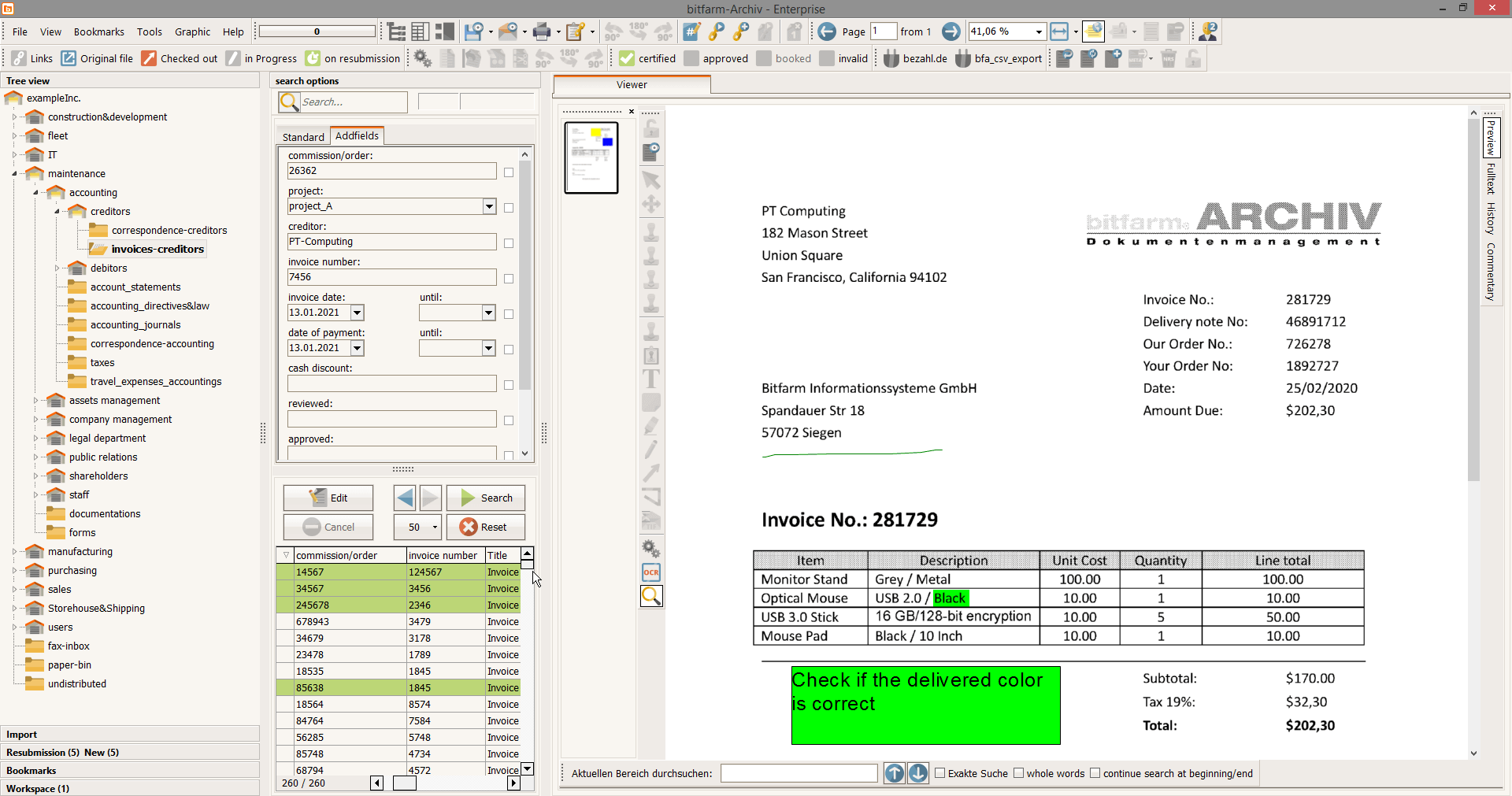
How Document Management Software Can Transform Your Office Workflow
Document management software is revolutionizing the way offices operate by streamlining workflow processes and increasing efficiency. This software allows organizations to digitize and organize their documents, making them easily accessible to employees from any device. With features like advanced search capabilities, employees can quickly locate important information without sifting through endless paper files, ultimately saving valuable time. Additionally, document management solutions enhance collaboration by enabling multiple users to access, edit, and share documents in real-time, thereby reducing communication barriers and improving teamwork.
One of the key benefits of implementing document management software is its ability to automate mundane tasks. For instance, manual data entry can be drastically reduced through the use of automated workflows, which can handle document routing, approval processes, and notifications. This not only minimizes the risk of human error but also allows employees to focus on more strategic tasks that require human input. Furthermore, by maintaining a secure and organized repository for critical documents, businesses can ensure compliance with regulations, enhance security, and ultimately create a more productive work environment.
5 Key Features to Look for in Document Management Software
When selecting document management software, it's essential to identify key features that will best suit your organization's workflow and enhance productivity. Here are five key features to look for:
- Robust Security: Ensure the software offers advanced security measures, such as encryption and role-based access control, to protect sensitive documents.
- User-Friendly Interface: A simple and intuitive user interface can significantly improve adoption rates and make training staff easier, allowing everyone to maximize the software's capabilities.
- Integration Capabilities: Look for software that seamlessly integrates with existing systems, such as CRM and accounting software, to create a unified approach to document management.
- Version Control: Version control features allow teams to track document changes, maintain historical versions, and collaborate more effectively while reducing the chances of errors.
- Search Functionality: A powerful search capability enables users to quickly locate documents using keywords, tags, or metadata, saving time and improving efficiency.
In addition to the features listed above, consider the scalability of the software. As your business grows, your document management needs may change, so it's important to choose a solution that can easily adapt and expand. Additionally, assess the level of customer support provided by the vendor. Reliable support ensures that any issues are resolved quickly, minimizing downtime and helping you maintain business continuity. By prioritizing these essential features, you can choose the right document management software that will streamline your processes and contribute to overall success.
Is Document Management Software Right for Your Business?
In today's fast-paced digital landscape, Document Management Software (DMS) plays a vital role in enhancing organizational efficiency. If your business handles large volumes of documents, whether they are contracts, reports, or emails, implementing a DMS can streamline your workflow. This software not only provides a centralized repository for your important files but also facilitates easy retrieval, sharing, and collaboration among team members. Consider your organization's specific needs, such as compliance requirements and remote access, to determine if a DMS is the right fit for you.
Furthermore, adopting Document Management Software can significantly reduce the time spent on manual document handling, which often leads to errors and miscommunication. Key benefits include improved accessibility, version control, and enhanced security. When assessing if a DMS is suitable for your business, evaluate the following factors:
- Size and type of documents managed
- Level of collaboration required
- Budget and ROI considerations